
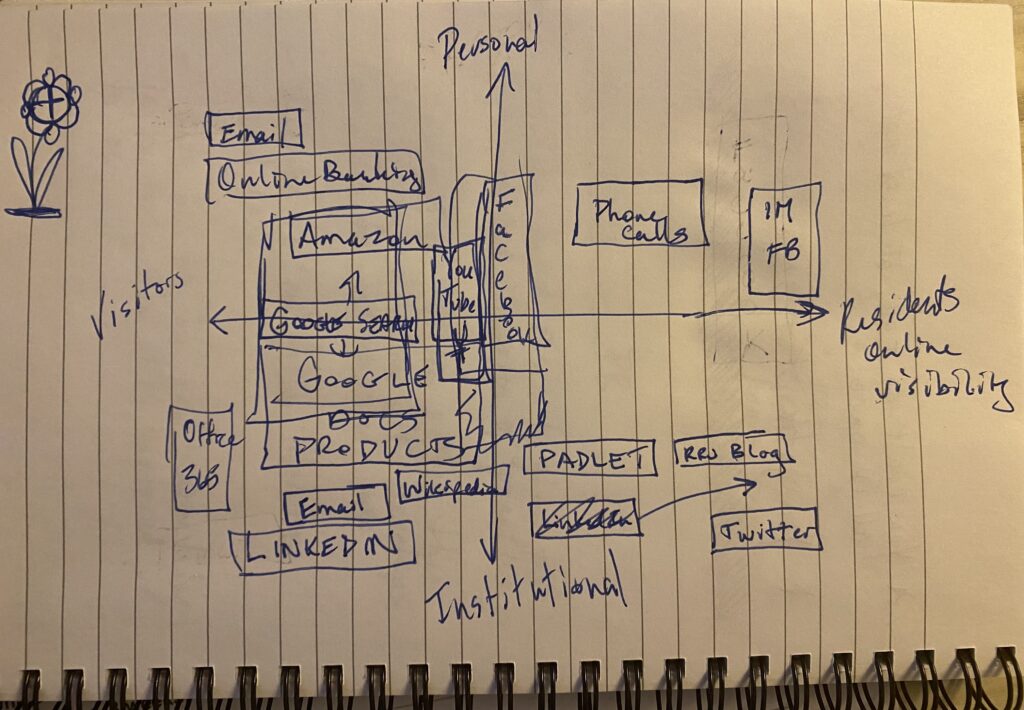
Figure 1. Map of my Resident – Visitor Typology
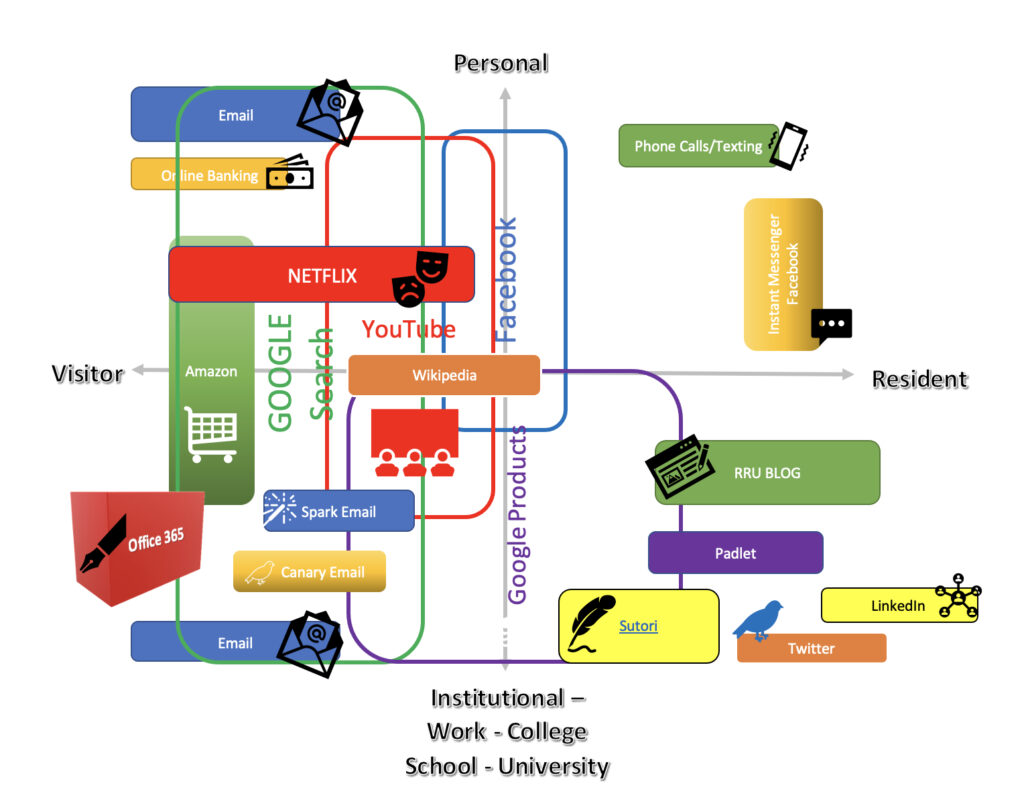
Figure 2. Map of MY Resident – Visitor Typology \ Microsoft Office
I did a rough iteration first on a piece of paper to map out where I felt I utilized the various tools and in what capacity I used them. Once I did that, I then decided to use MS Word to create the image you see. Once it was completed, I could see that I use Google products most often but typically for work because the students I instruct don’t have access to Microsoft Office. I have Google mostly on the visitor side because the products used are only shared with me and are not shared with other students, nor are they shared online for others to see. Padlet, however, is a platform I use for them to be able to post their comments and ideas on certain topics I teach, as well as to respond to others in the group. LinkedIn is for professional use only. Goods from Amazon are for work, school, and home use. Wikipedia is often a jumping off point for me when I am curious about something and I have contributed minor updates on a few articles. When I need to create PowerPoints for teaching, I use Office 365.
Gmail is for personal correspondence with family and friends. I have several email accounts that I use for work. For one of my positions, I utilize Spark. Canary email is connected to my Royal Roads email account. If I don’t use these separate email platforms, then my inbox would become completely chaotic, and I would have to declare anarchy.
(If you’d like to know more about Sutori, visit www.sutori.com).
While reading David Cormier’s Blog, Digital Practices Mapping, I noted that he made a decision to “…look[ed] at the whole of someone’s practice…” (Cormier, 2018) instead of just the digital tools they used while working with his students. Springing off of this idea, I decided to try TinkerCAD and create a 3D version of those alternate tension pair(s) he mentioned in his blog. However, I wanted to see what would change if I were to alter the paradigm to include work – school as well. Wow, did I ever get some interesting insights to my digital use! Not only do I do little collaboration online with colleagues/peers or with my students, but I do not use as many analogue tools as I thought! Creating this 3D map was more eye opening than the 2D version I created, but unquestionably that had mostly to do with looking at my digital/analogue use through (an) alternate tension pair(s). Re-creating this map after having completed a year or more of the MALAT would most likely see more collaborative/digital use, which in turn I hope will translate to my being able to foster more collaborative use amongst my students.
Something to look forward to!
Reference
Cormier, D. (2018, March 31). Digital Practices Mapping – Intro activity for digital literacies course –
Dave’s Educational Blog. Dave’s Educational Blog. Retrieved April 23, 2022, from
http://davecormier.com/edblog/2018/03/31/digital-practices-mapping-intro-activity-for-digital-
literacies-course/comment-page-1/?unapproved=2414101&moderation-
hash=9fa85814511e0b75a43bf9ebd7c44f2b#comment-2414101
Hello Marion,
Your ‘try’ at TinkerCAD looked successful! I like how you can gather that third dimension, to reflect how the tools are used and to what degree which is difficult to capture with a 2D diagram. I now have TinkerCAD pinned and will be looking for opportunities to play around with it. Thanks for sharing 😉
I was particular drawn by your Microsoft office comment vs Google for accessibility. I work with a range of both service providers and organizations and we are constantly adjusting to meet them where they are in terms of accessibility, comfort, privacy and security. Microsoft and Google in particular are the topics of debate. In larger bureaucracies we tend to see more tried an true platforms i.e. Microsoft even though they lack functionality in regards to real time collaboration they have a reputation of loyal and familiar. I do wonder how much of this choice is economic and if the costs of changing an entire organization i.e. the health sector or policing is too costly and time consuming – Microsoft wins here. Google is quite high on the list for breaking down barriers to use and bringing those real time and easy to use features to the common people, though there does seem to be an understanding that there are limitations to each and meeting individuals where they are in their technology journey and protecting personal information especially in regards to health information remains a balancing act of this pandemic era of learning. We work with agencies who collect PII (Personally Identifiable Information) to ensure that this information is safeguarded.
Would love to chat more regarding technology preferences and who get access and who doesn’t in the future, so interesting.
Enjoy the rest of your weekend,
Hi Nicole,
Thanks for your comments at my first go at using Tinkercad. And, yes, we should definitely chat about technology preferences. I’m sure you have a wealth of experience with technologies I haven’t heard of yet!
Your comments about how different organizations debate over whether to utilize Google or Microsoft products, is a trend in the public school system in BC as well. Having come from the Vancouver School Board, we were only permitted to use Microsoft products due to privacy issues regarding where student information would be stored. And while I do prefer some Office 365 products over Google, I find Google much easier to use, especially with my students. They don’t have the funds to purchase Office 365, so Google is the perfect option.
Cheers!
Hi Marion, awesome map! I appreciate you showing the 3D map. It is very interesting to see the map from the top and the sides. Looking from a different angle seems to give us more insight about our technology use and how everything is connected. I also anticipate changes in my map throughout the MALAT program. It will be interesting to re-visit this at the end of the program.
Hi Megan,
Thanks for your comments! Using Tinkercad definitely afforded my a great “view” of my technology use and it will be interesting to see how my map changes as I progress through the program.
Cheers!