
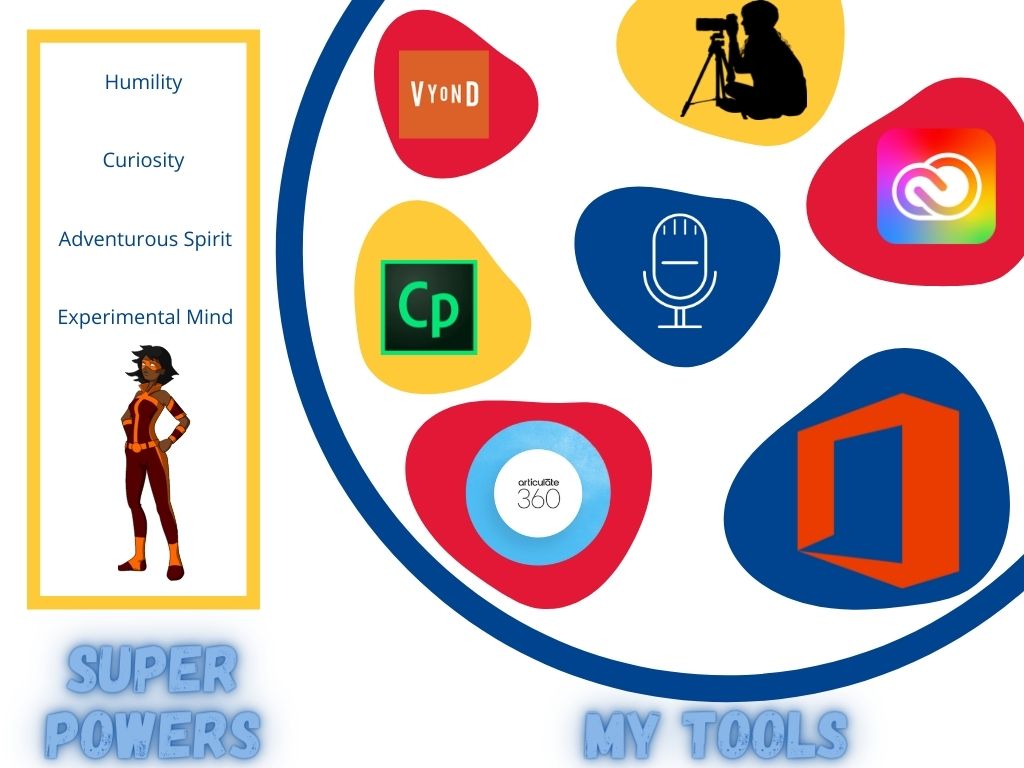
 This blog post was exciting and interesting because it caused me to think hard about the tools that I frequently use in my role as a learning advisor and freelance instructional designer.
I am constantly designing for a wide range of audiences, from C-suite leaders, to field or ground level employees. Below is a list of the physical tools that I use, and the arenas in which I use them.
– Articulate 360 – This is a rapid authoring tool used to build e-learning programs ranging from simple (little interaction) to complex (requiring wide ranging interactions and advanced interactivity). This tool has the ability to produce cloud based responsive learning programs (Articulate Rise), and SCORM (shareable content object reference model) material that can be published in a Learning Management System (LMS) for tracking and compliance. This is a program I utilize weekly.
– Adobe Captivate – Also a rapid authoring tool, it functions similarly to that of Articulate Storyline however lacks any cloud publishing capabilities. This program also requires a significantly larger investment of time to learn and is what I affectionately refer to as “buggy”. Since Articulate’s improvements in the last three years, I use Adobe Captivate seldom.
– VYOND – VYOND is an animated authoring tool in which designers can create animated shorts or whiteboard graphics without requiring significant training or an investment of time to learn. I find VYOND particularly helpful for training process or change management, and, for use with a wide range of audiences. It requires little technical skills from the end user and can circumvent some issues in regard to language barriers or low literacy and comprehension from the audience. I use VYOND to create workplace learning aids that are often used to supplement more formal materials.
– Adobe Creative Cloud – These programs are used to edit copy, video, audio, or to create materials. It is comprised of InDesign, Character Creator, Animator, and Adobe Premiere. I use these programs primarily to edit material that has already been created. More for a graphic design professional, these require significant investment of time and energy to learn, both of which are in short supply in my world. Typically, I would use these programs just to edit in-person video that has been shot organizationally, such as leader interviews or field based work-safe examples.
– Microsoft Suites – Some of our work is still done in a traditional pen and ledger sense, using word-based facilitator guides and PowerPoint presentations. I use these to create materials that are deemed unsuitable to be developed or delivered remotely or via eLearning.
– Video and Audio – I use camera recording to shoot in person explainer videos or interviews. These are typically used to accompany more formal learning materials (such as a module or performance support guide), or, when leadership has chosen a more personal method of address, such as an interview to explain organizational change, procedural roll-out, or other material not suitable for alternative forms of electronic delivery.
Regarding my superpowers as a designer, I have narrowed it down to my humility and curiosity, and my adventurous spirit and experimental mind.
– Humility – I often design or support learning initiatives of which I am not an expert. By approaching stakeholders or business leaders without preconceived ideals of what a program should look like, I am able to better get a full picture of their performance objectives and the barriers currently in place.
– Curiosity – I tell my stakeholder clients that my favorite phrase is “but why”, and often find the answer is “because we have always done it that way”. I use this curiosity to work with stakeholders to develop new approaches to long formed performance issues and help them to look at situations less conventionally.
– Adventurous Spirit and Experimental Mind – These two ‘superpowers’ tie in to the above two and culminates in a willingness to try new instructional approaches, methods of assessment, or learning.
Hi Paula,
Thank you so much for sharing more details about how you apply ID concepts to your current work. I am curious what projects are best kept to in-person interaction, as mentioned in the Microsoft Suite section. Is there a more detailed example available?
Many thanks,
Ben
Hi Ben. Thank you for your comment.
I am not able to share a more specific example, however can give you a vague answer.
– Some regulatory training (Transport Canada, IATA, etc) require certain components of training to be delivered in person, by a certified instructor who is able to gauge the competencies of the learners. Additionally, these typically require hands on experience, For example, a hazardous goods driver is unable to gauge the pressure in a release valve via an online program, or, a ground operations employee is unable to learn how to tow an aircraft via e-learning.
– Another example is, companies taking the lowest rate of risk possible. I work (and have only) in highly hazardous environments. While certain tasks could likely be developed and delivered remotely or using authoring software, the company chooses the path of lowest risk by having certain safety critical tasks (a large portion of what my client groups do) delivered in person. It cut’s out context ambiguity and provides an extra layer of shelter from ill-equipped or incompetent employees performing highly hazardous tasks.
Paula.
I like this summary of tools from the perspective of an ID working in the private sector so much. It makes me a bit jealous actually. We have little in the way of tools for design at our institution. I cannot think of anything we have to create polished content to be honest. It got me thinking about public private partnerships. We have a program advisory group we work with who help ensure our curriculum meets industry needs and help us with program reviews but I wonder if they would lend us their licenses for creating content? This might be way too cheeky but I think I might ask them. Thanks for the inspiration from this post.
Hey Karen,
Thanks for your feedback, I have definitely been spoiled in regards to the various programs and tools I have been able to learn to use.
Do you ever do joint-venture projects with private/for-profit organizations? Is there the opportunity for a mutually beneficial arrangement in which you could use a license or authoring program in exchange for a deliverable that would serve both parties involved?
Paula
I intend to find out if that opportunity might exist for sure. We do this type of private / public partnership in trades training for specialized equipment that employers will donate so our students are familiar with their environment upon graduating but not for design of programs but I can see how we could if there was an appetite for that from our partners. I imagine we could design a learning solution for their internal processes or training and in exchange we could use their tools for our design needs. I might be dreaming? I’m going to float that idea to them anyways.
Hi Paula, I really liked how you provided a quick description of each of your tools. As a learning advisor and freelance instructional designer, do you feel that there are some tools that are specialized for one role or the other? Is there a particular tool that you find yourself gravitating towards when you start a new project, or would recommend as a good starting tool for new designers who are just starting to build their toolkit? Thanks!
Hi Jolee!
Thank you so much for your comment, and I am glad my summarization helped!
Certainly, there are some tools that are more specific in their use and audience than others. For example, both adobe captivate and articulate storyline are very specific to those who are developing e-learning modules that will be delivered through an LMS, as such, someone who specializes in ‘in person’ learning or performance aids exclusively would not benefit from using these programs.
For myself, when i am starting a new project, I don’t gravitate towards one tool specifically, but I more do a brain dump that is focused on “WHAT” are we developing? “WHY” are we developing it? -> does it expand on current knowledge that the group in question has, or is it net new information, and that usually drives which tools I will use to kick off my project. What I would recommend for designers who are just starting to build their toolkits, is to spend some time playing with free trials of either captivate or storyline. I have previously recommended to a peer that they actually build a “fun” elearning program on something they know intimately, and continue to revisit it and improve it as they learn more about the programs, until you get to a version that you really enjoy. Play with interactivity, and aesthetics, and the messaging in the program. For example, maybe for you – that looks like building a 5-10 minute program on the university admissions process. It’s a topic you know intimately, which allows you to dedicate all of your resources and energy to simply building and learning the nuances of the tool.
I could talk about this stuff for days, if you ever are thinking about dipping your toes into the pool that is design tech, feel free to reach out!
Paula.
Hi Paula,
After working with you on our project at the beginning of the MALAT I had a small taste of Articulate. I realized that I could learn something like this with time and play. Thank you. Interesting what you said about VYOND and that it can be helpful when considerations with literacy or language barriers exist. My organization can be very slow/ careful to invest or adopt new platforms. Lots of tools for me to explore over the holidays. Thank you!! Happy New Year to you!
Sam